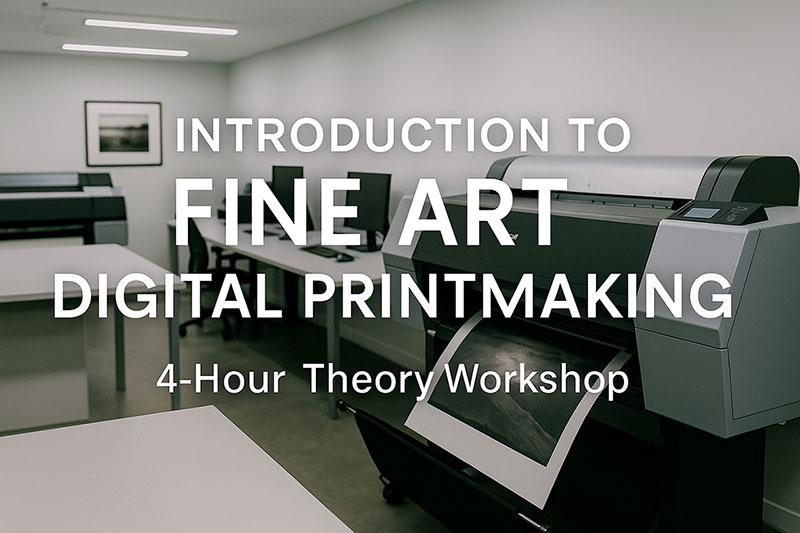
Introduction to Fine Art Digital Printmaking
A clear foundation in file preparation, colour management, paper choice, and the craft that defines exhibition quality printing.
Introduction
Fine art digital printmaking sits at the centre of how photographers and artists define their visual identity. In this session, Dominique builds a clear foundation in the craft, linking creative intention to technical control. Over four hours, participants learn how to prepare files, manage colour, and match images with the right papers and inks. The workshop also shows how printmaking sharpens editing. It strengthens the coherence of a series, and supports work made for exhibitions or books. By the end, print decisions feel like part of authorship rather than an afterthought.
Description:
Dominique leads a structured journey through the world of fine art digital printmaking. He starts with the core principles of permanence, authorship, and editioning. Then he explains printmaking as a process of controlled translation from screen to paper. Paper choice, inkset, and creative intent sit side by side. In this way, every print becomes a deliberate statement.
Next, the focus turns to files and colour. Dominique compares sRGB, AdobeRGB, and ProPhoto RGB. He shows why wide gamut spaces and sixteen bit TIFF files give more control. He then joins these ideas to real practice through ICC profiles. Monitor calibration and colour analysis tools keep images consistent through the workflow.
After that, attention moves to printers, inks, and papers. Participants learn how pigment and dye technologies differ. They also learn how inksets behave, and how professional profiles support both standard and unconventional papers such as watercolour, etching, or handmade stocks. A dedicated segment introduces Piezography. This includes carbon based monochrome printing for museum level black and white work. Finally, Dominique covers archival handling, mounting, and presentation. In this way, finished prints meet gallery and collection standards and remain stable over time.
Learning Outcomes:
By the end of the workshop, participants will: • Understand the principles that define fine art printing, including permanence, authorship, and archival standards • Be able to differentiate between file formats (TIFF, PSD, JPEG). They will understand the advantages of working with 16-bit TIFF files • Recognise the differences between colour spaces (sRGB, AdobeRGB, ProPhoto RGB). Participants will also know how paper surfaces limit colour reproduction • Know the role of ICC profiles, monitor calibration, and LUTs in ensuring colour accuracy • Gain awareness of advanced tools and workflows, including RIPs and profile analysis software • Appreciate how paper and ink choices affect artistic intent and longevity.
Next Step: One-Week Residency Graduates of this workshop may apply for an optional one-week residency programme. The residency provides hands-on access to professional printing equipment. Participants receive guided one-on-one mentorship. They have the opportunity to produce personal work to exhibition standards. Spaces are strictly limited to ensure every participant receives adequate practice time and individual attention.
Instructor Profile
Dominique Lauge is a photographer and fine art printmaker with decades of experience in both analogue and digital practices. Born in La Rochelle in 1958, he studied literature at the University of Bordeaux before moving to California. There, he attended the Brooks Institute of Photography and studied the Zone System under Bob Werling, a close collaborator of Ansel Adams. Dominique began his professional career in Milan in 1985, where he established himself as both a photographer and master printer. In 2005, he returned to France and founded a fine art printing centre. This centre specializes in exhibition-standard traditional and digital printmaking. A deep commitment to the craft of the photographic print marks his career. Moreover, he maintains the preservation of quality at every stage of the workflow.
Module 1: The World of Fine Art Printing (15 minutes) • Defining a fine art print: permanence, authorship, editioning • The role of paper choice in longevity and artistic expression • Why printmaking is the art of controlled translation
Module 2: File Management & Image Fundamentals (50 minutes) • File formats for print: TIFF, PSD, JPEG – advantages and risks • True 16-bit TIFF vs 8-bit JPEG: smooth gradations vs compression artefacts • File management best practices: naming conventions, folder structures, metadata • Non-destructive editing workflows to preserve file integrity • Intelligent upscaling: when to use it, and which tools deliver clean results
Module 3: Colour Spaces & Gamut Fundamentals (35 minutes) • Comparing sRGB, AdobeRGB, and ProPhoto RGB • Benefits of wide-gamut editing and why ProPhoto + 16-bit is best practice • Paper gamut limitations: matte vs baryta vs gloss • Soft proofing as a tool for previewing colour clipping and tonal shifts • Visual comparisons: colour space overlays, paper gamut vs AdobeRGB
Module 4: Colour Management Workflow (30 minutes) • ICC profiles: how devices communicate colour • Monitor calibration theory: software vs hardware LUT calibration • The role of LUT cubes in colour proofing • Introduction to custom profiles: how they are made, and why they matter • Professional tools such as ColorThink Pro for analysing profiles and gamuts
Module 5: Printers, Papers & Inks (30 minutes) • Pigment vs dye inks: permanence and colour gamut • Differences in inksets: Ultrachrome, Lucia Pro, and others • Matching paper choice to artistic intent • How paper and ink combinations are profiled in professional practice. Creating ICC profiles for unconventional uncoated paper, such has : Watercolor paper, etching paper, handmade and offset paper..
Module 6: Piezography© (30 minutes) black and white digital printing with carbon based pigments on Epson printers.
Module 7: Towards Advanced Control (20 minutes) • RIPs explained: their function, advantages, and when to use them • Complete workflow overview: capture → edit → file → monitor → proof → print • Common mistakes: wrong profiles, gamut clipping, overly bright monitors
Module 8: Archival Handling & Finishing (20 minutes) • Proper handling of prints to avoid damage • Archival mounting, matting, and framing techniques • Certificates of authenticity and editioning standards
What Should Students Bring?
Laptop
Pen and paper to take notes.
Closing Notes
By the end of the session, participants understand how choices in file preparation, colour management, and paper selection translate directly into the finished print. Rather than treating printing as a technical afterthought, the workshop shows how it becomes an essential part of authorship. Armed with this understanding, photographers can speak more clearly with labs. They can refine their own editing decisions. Furthermore, they can prepare work that meets exhibition or publication standards. For those who wish to go further, the content also lays a solid foundation for intensive residency based practice. This involves professional printing equipment.
- Duration 4 hours
Date
- 31 Jan 2026
Time
- 15:15 - 19:15
Cost
- $150.00
Labels
- Workshop
Location
Trainer
-
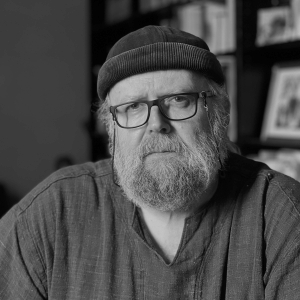 Dominique Laugé
Dominique Laugé is a photographer born in 1958 in La Rochelle France. He studied literature at the University of Bordeaux. In 1982 followed photography courses at the Brooks Institute of Photography in Santa Barbara, California where he also studied the zone system under Bob Werling and Ansel Adams. He worked as a professional photographer in Milan from 1985 to 2005. Back to France, he produced images for exhibition and books, and created with his wife a center for photography in Gaillac, France, specialised in printing both traditional and digital photography.